

Start a copy
1
Open the trader's profile and click Copy Trade
The form opens: Trades by this trader on this venue will be mirrored to your account.
2
Choose the account to Copy with
Pick one of your accounts. If it is not ready, the form offers shortcuts: Enable trading,
Deposit or Fund from Main. Each account copies one trader at a time; if it already copies
someone, you are asked whether to stop that copy first. Positions the old copy opened stay open.
3
Set your size and risk
See the settings below.
4
Click Start Copying
The copy is live. Edit it later from Copy Trade → My Copy Trades (the button becomes Save Changes).
Settings
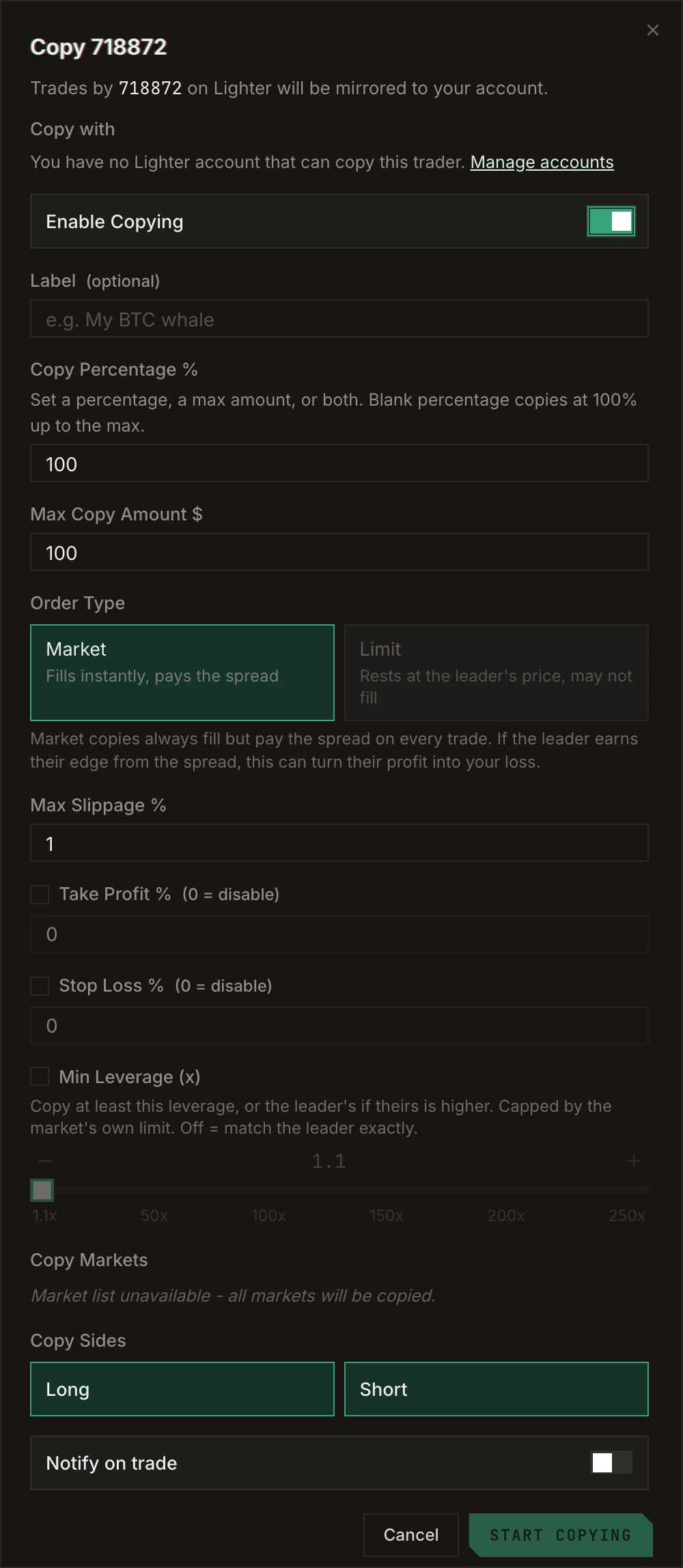
The copy form.
Pause or stop a copy
- Pause: in My Copy Trades, flip the copy’s toggle to Paused. Its settings are kept.
- Stop: click Unfollow. This removes the copy and its settings.
Track your copies
Copy Trade → My Copy Trades shows net PnL, win rate, profit factor, volume and your daily realized PnL over the last 30 days, then one row per copy with its settings and status. Filter by venue and account.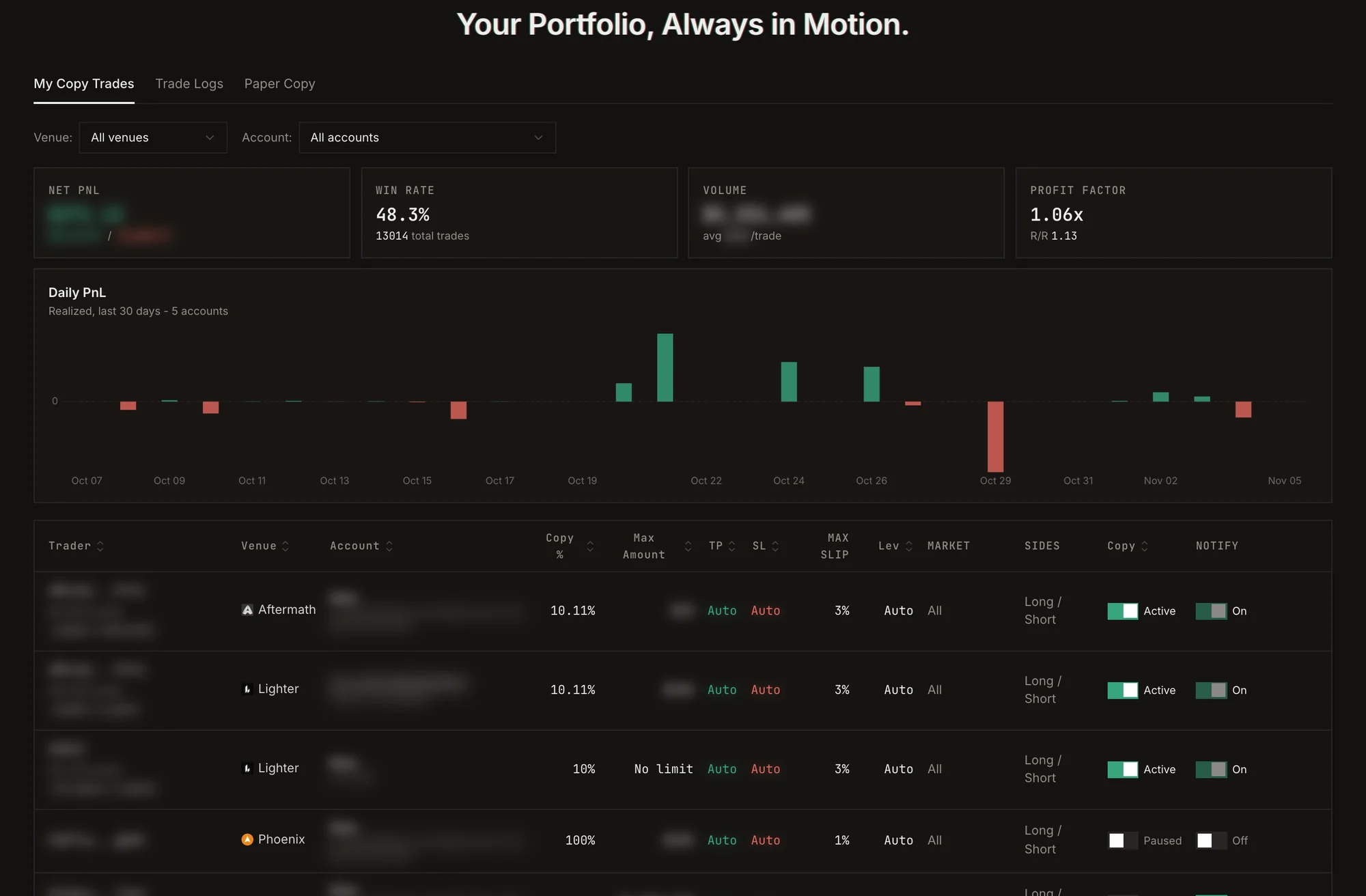
My Copy Trades: summary, daily realized PnL and one row per copy. Personal details are blurred.
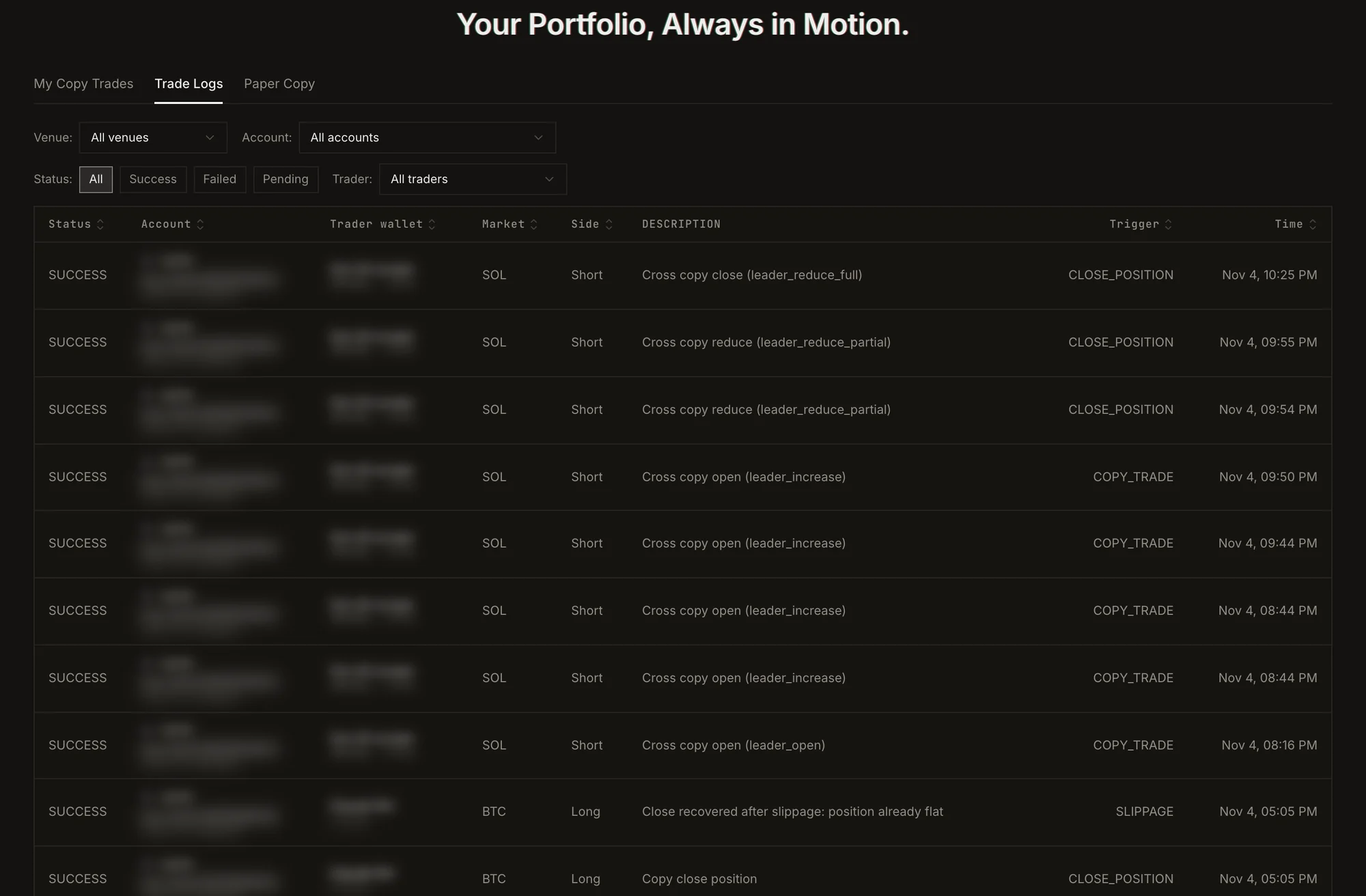
Trade Logs: every copied order and why it fired. Personal details are blurred.
A copy fills after the trader, so your entry and exit prices differ a little from theirs. On fast markets, on
thin books, or when copying a maker who trades with limit orders, that gap can be significant. Test with a
paper copy first.