

Cohorts
Each cohort card shows how many wallets are in the group, their open interest, the long/short split and a sentiment badge (for example Bullish or Very bearish). It is a quick read on which way the winners and the losers are leaning.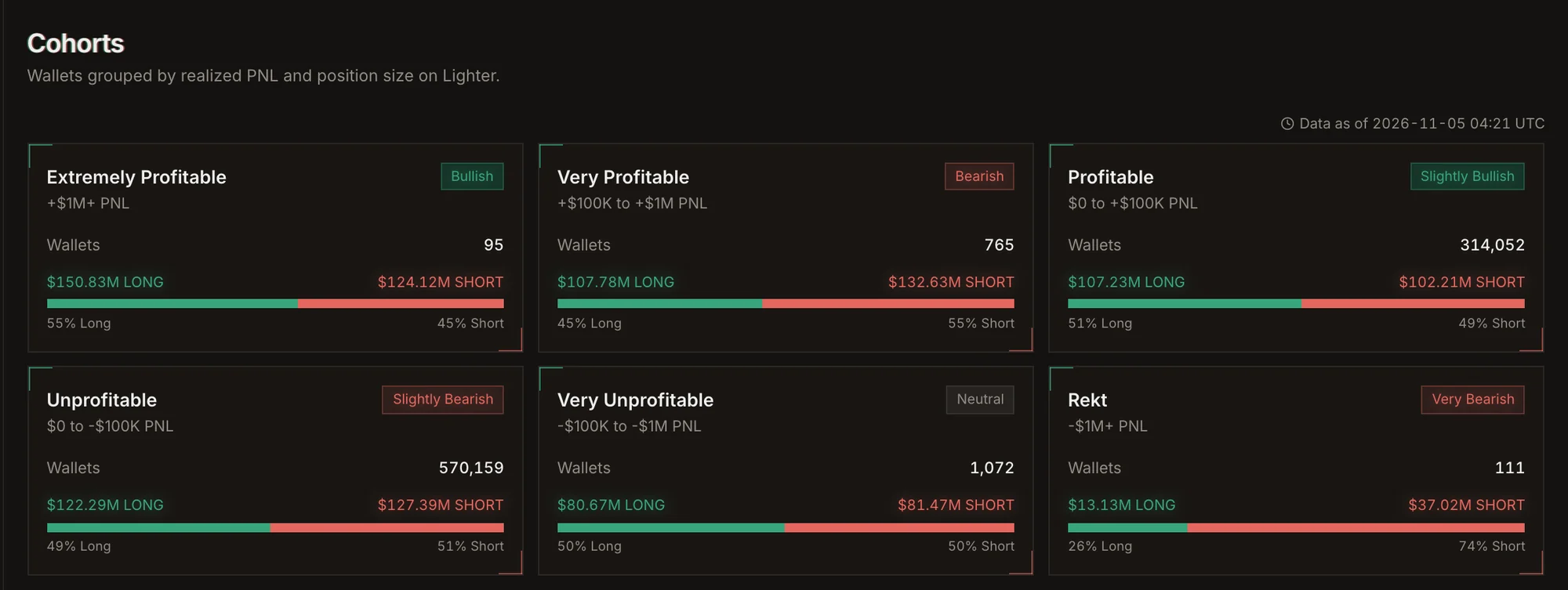
Cohort cards on Explore.
Open a cohort to see its wallets, which of them have open positions, and the long and short exposure per
market. Filter by market and side.
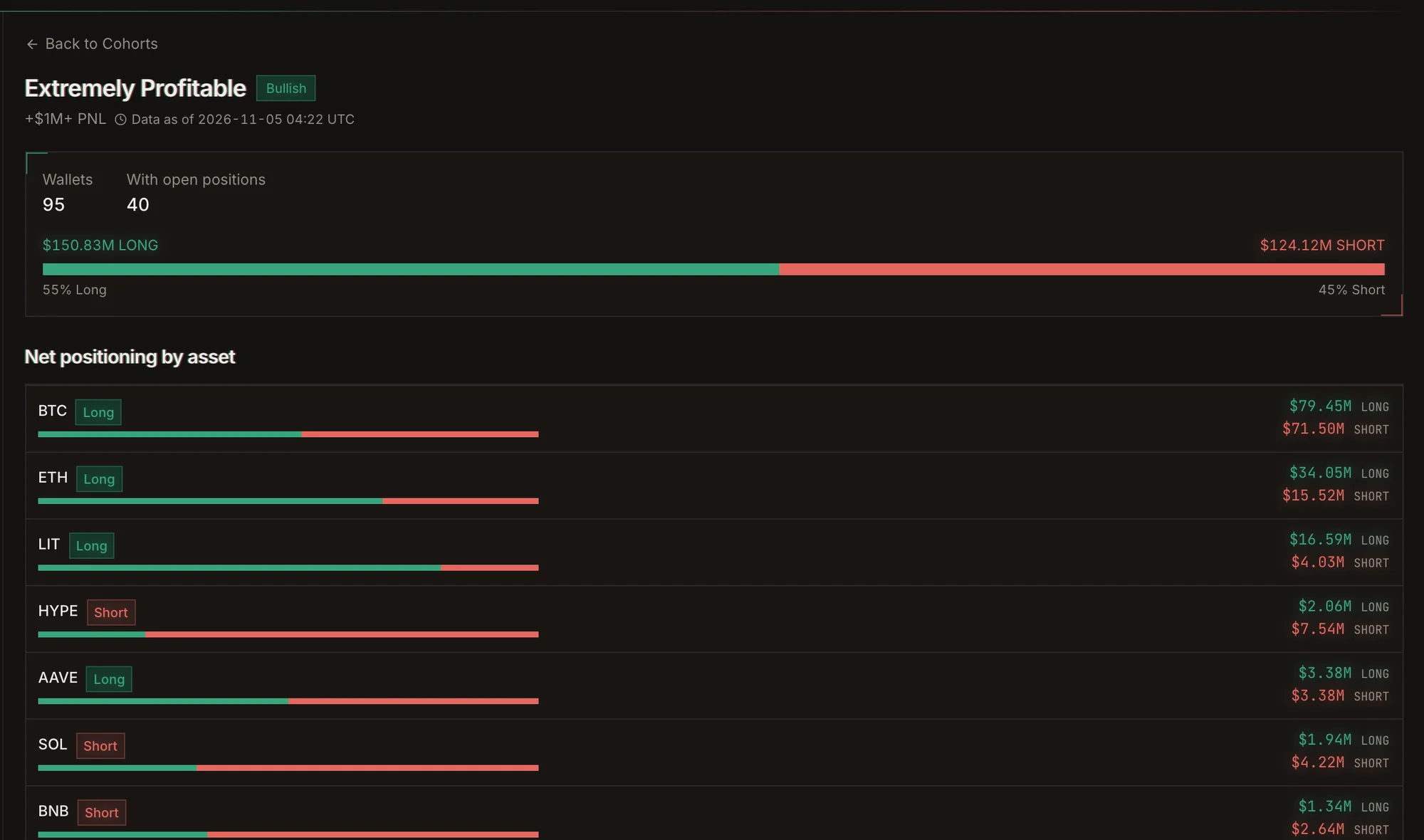
A cohort in detail: its wallets and their net positioning per market.
The sidebar lists
- Cohorts: the groups above.
- Best Wallets to Copy Trade: wallets ranked for copying.
- Known Traders and Funds: labeled wallets.
- Explore All Traders: the full leaderboard with every filter.
- Open Positions: live positions across the wallets we track.
Leaderboard filters
Advanced filters add greater than, less than and between conditions on Profit, PnL After Fee, PnL
Ratio, Win Rate, Drawdown, Trades, Avg Trade Size and Volume, each over 7D, 30D or all time.
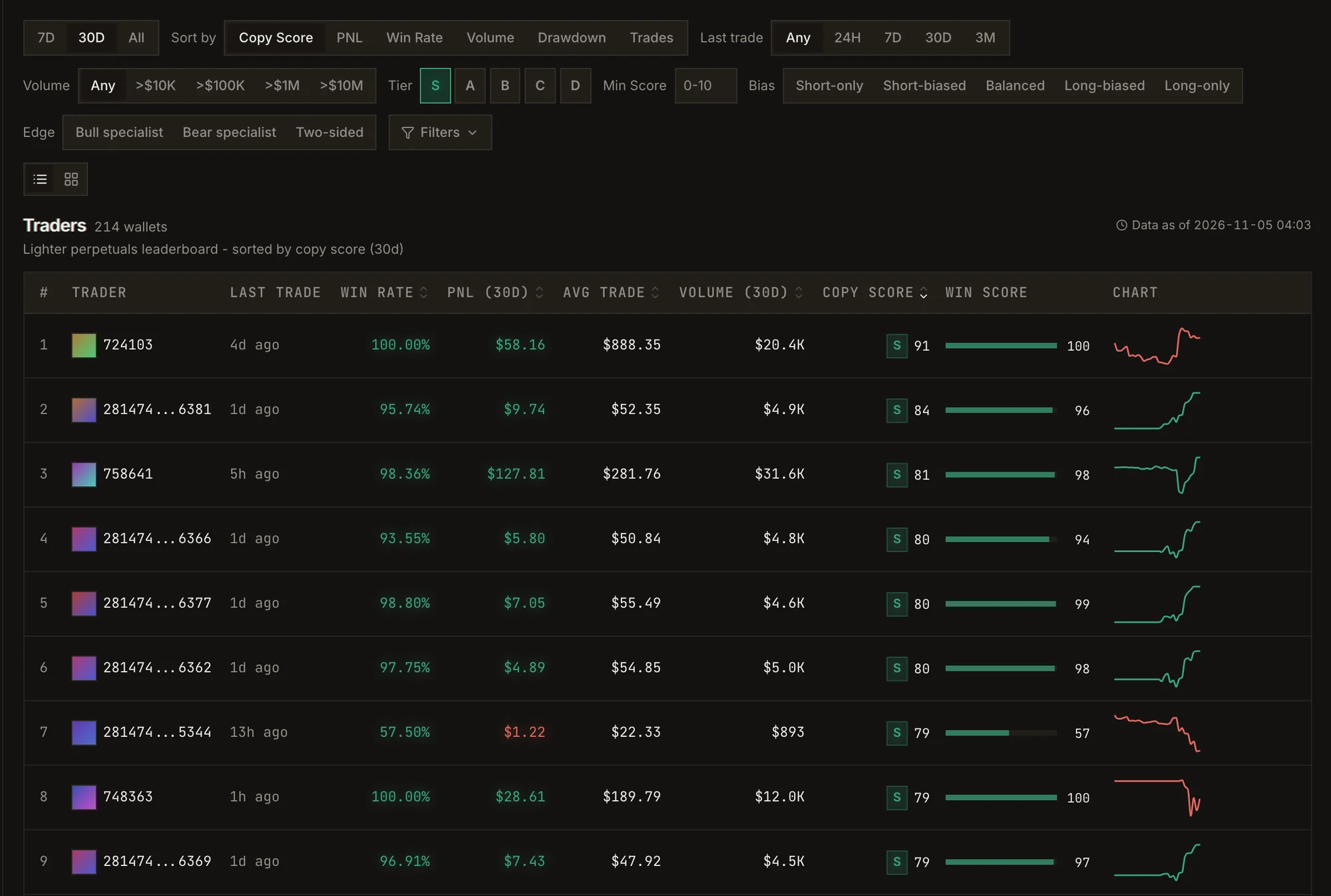
The leaderboard, filtered to S-tier wallets.