

Turn it on
1
Open Accounts
Find the account and open its Fund protection setting.
2
Set the max loss from peak
Choose how far the account may fall from its highest net worth, between 5% and 90%.
3
Choose what happens when it trips
- Close-only: stop opening new copy positions, but keep mirroring the traders’ closes so open copies wind down naturally.
- Force-flatten: immediately market-close all open positions on the account, including trades you opened yourself.
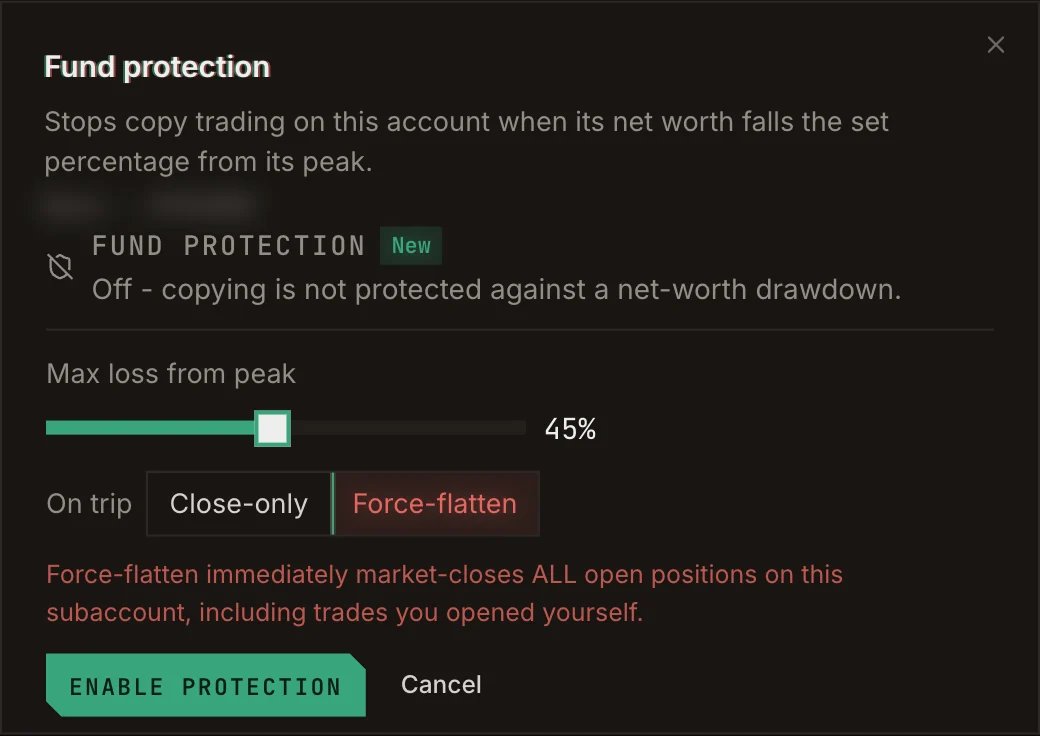
Setting up fund protection on an account.
States
Fund protection is available on every venue except RH Lighter.